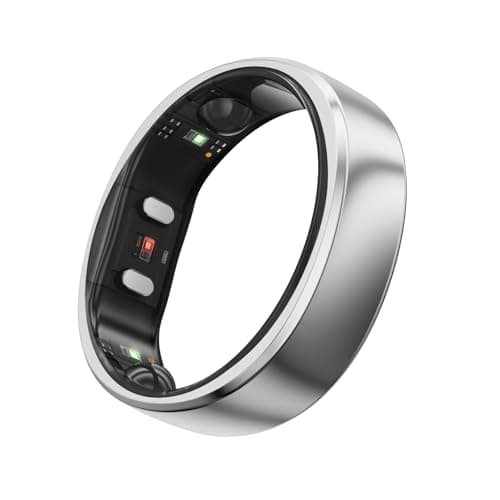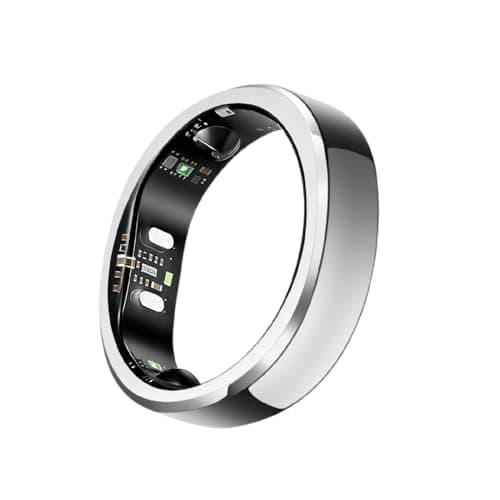
The steps, exactly
- Open the Oura app and tap the menu in the upper-left corner of the home screen.
- Tap Settings.
- Scroll to Account.
- Tap Manage membership. This opens the Membership Hub.
- In the Membership Hub, choose Cancel membership. Oura says the Hub will then show the membership as cancelled and offer you the option to renew.
You can also go to the Membership Hub directly rather than through the app. One change worth knowing if you are following older instructions: Oura on the Web was discontinued on 5 October 2026, so any guide telling you to log in to a web dashboard is out of date - the Membership Hub is the surviving route.
The same Hub holds your current plan and next payment date, billing information and invoices, your account email, data export, and - separately from cancellation - the option to delete your account and all its data. Those last two are not the same button, and the difference matters.
What you will and won't be refunded
Oura's published rules are short and worth reading in full before you click:
- Cancel before the complimentary month ends and you are not charged.
- Cancel a monthly or annual plan after the complimentary month and you keep access for the remainder of the billing period you have paid for.
- Partial refunds are not available for cancelled prepaid or annual plans after the complimentary month ends.
So the timing decision is: if you are on an annual plan and you know you are done, cancel whenever you like - you keep what you paid for until the renewal date and then it simply stops. If you are three weeks into a complimentary month and unsure, the calendar is doing the work for you.
What the ring still does afterwards
The ring keeps working. What changes is the app. Without an active membership Oura says you see your three daily scores - Readiness, Activity and Sleep - plus ring battery, basic profile information, app settings and the Explore content. You lose the detail behind the scores: detailed sleep analysis, 24/7 heart rate, advanced temperature, blood oxygen, daytime stress, heart and metabolic health features, the longer-period reports and the third-party integrations. API access also stops.
One important exception in the other direction: Oura says cancelling does not delete anything. Your data and account stay saved unless you separately delete the account, and if you re-enrol later everything is immediately accessible again. The longer version of what a ring without a membership is worth is on the Oura Ring without a subscription.
Export your data first
Do this before you cancel, not because the data disappears - Oura says it does not - but because it is the moment you will actually do it. Oura says you can export all of your Oura data in CSV format through the Membership Hub even without an active membership. Pull the file, check it opens, and keep it somewhere that is not a phone.
If you also intend to delete the account, export first and understand that deletion is permanent: the Hub describes it as deleting your account and all account data. The wider question of what a brand holds and where is on what data smart rings collect.
There is no pause button
Oura states plainly that there is no option to pause a membership. If you are going away for three months, the choice is to keep paying or to cancel and re-enrol afterwards, which you can do after the end of the current billing cycle. Two further details that catch people out: a complimentary month cannot be paused or restarted once it begins, and plan changes (monthly to annual or back) take effect only at the end of the current cycle.
One group never has to think about any of this: Oura says Gen 2 owners do not require a membership and are not charged membership fees. Membership applies to Gen 3 and newer.
If you're cancelling to escape the fee
Most people who search for this are not leaving Oura - they are leaving subscriptions. If that is you, the thing to check in a replacement is simple: does the brand have a paid tier at all, and if it does, what sits behind it? A ring with no paid tier cannot later move your sleep data behind one.
- No required plan, stated on the brand's own page rather than in a review.
- Optional extras named explicitly, so you know what is not included.
- Export available without paying.
- Battery and a charging case, because the ring has to survive being worn for years for the saving to mean anything.
Our picks for this job
Rings with nothing to cancel
Both of these require no subscription at all, so there is no membership to manage, pause or escape.
Longest battery with no subscription
RingConn Gen 3
No subscription8.1/10ResearchedNo subscription and no paid tier. Up to 14 days a charge with a universal charging case in the box, ten sizes, and a warranty RingConn says is transferable to further owners.
$349.00Amazon#ad · Price as of November 4, 2026 · How we make money for the link to RingConn Gen 3
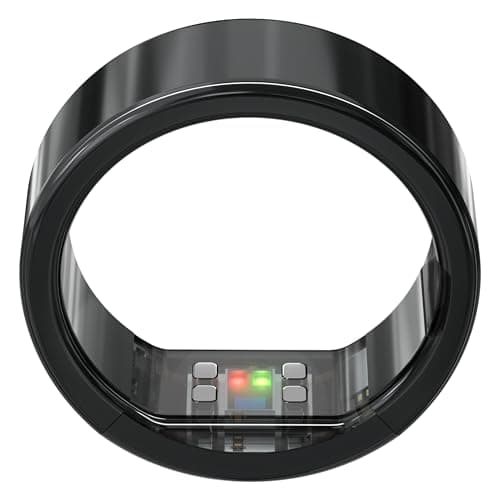
Longest claimed battery with no required fee
Ultrahuman Ring PRO
No subscription6.9/10ResearchedNo required fee and up to 15 days claimed, 45 with the PRO Charger. Ultrahuman does sell optional paid PowerPlugs, so read which features are included before you assume.
$479.00Amazon#ad · Price as of November 4, 2026 · How we make money for the link to Ultrahuman Ring PRO
Mistakes people make
- Deleting the account instead of cancelling. Cancelling keeps your history; deleting removes it permanently. They are different buttons in the same place.
- Cancelling an annual plan expecting a refund. Oura says partial refunds are not available after the complimentary month.
- Waiting for a pause option. There is not one.
- Following web-dashboard instructions. Oura on the Web was discontinued on 5 October 2026.
- Not exporting. It takes two minutes in the Membership Hub and you only regret skipping it later.
How we scored this
How these picks were chosen
Every pick here is labeled Researched: chosen from each brand's fee policy, spec sheet, sizing and warranty pages, and the published studies that measured the ring (or its predecessor) against a chest strap, an ECG or a sleep lab, then scored on a public rubric. Every figure links to where it came from, and maker performance numbers are labeled “maker's claim,” so you can see exactly what you're paying for before you buy.
Scores are editorial judgments built from that documented research. Commissions never set a score or decide a pick. The rubric and its weights are published.
What changed
- Published.
Questions
Frequently asked
How do I cancel my Oura membership?
Do I get a refund if I cancel my Oura membership?
Will I lose my data if I cancel?
What does the Oura Ring still do without a membership?
Can I pause my Oura membership instead of cancelling?
Receipts
Sources
- Oura Support: Oura Membership (price, what works without it) (checked 2026-09-19)
- Oura: Oura Ring 5 store page (battery, water rating, sizes, HSA/FSA) (checked 2026-09-19)
- RingConn: Gen 3 product page (checked 2026-09-19)
- Ultrahuman US: Ring PRO buy page (price, ship date, subscription, battery, sizes) (checked 2026-09-19)
- Oura: privacy policy (what Oura collects, how it is used and the choices members have) (checked 2026-10-17)
Every figure on this page is traceable. Fees come from each brand's own policy pages (with the date we checked), specs from maker pages and listings, and accuracy claims from named, published studies. Hardware prices are set by Amazon and change daily, so we link them live instead of printing them. Read the full method.